
I deleted a field plan by mistake! Can I recover it?
If you are using the Turf Tank Control app, absolutely!
From the Map View, Tap
MOREin the upper righthand corner.Tap
FIELDS LISTSelect the red
FIELDS BINin the upper right.Choose a time-period filter (24 hours to 30 days).
A list of deleted fields for the chosen time frame will appear.
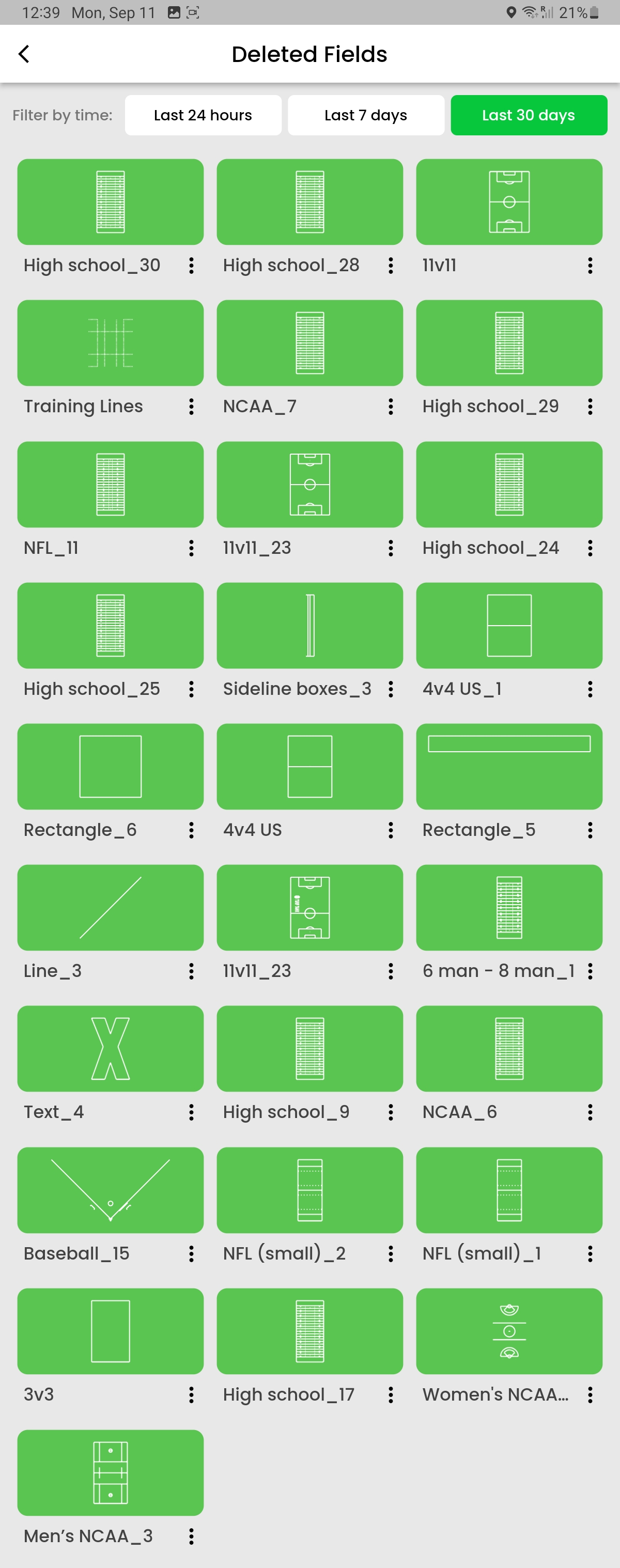
Tap the three-dot (kebab) menu under the field you wish to restore to your active Fields List.
Select
RESTORE.Confirm your selection.
Your field is restored!
Unfortunately, there is no way to restore an accidentally deleted field from the Legacy app.