
Logo File Formats
We can turn several different file formats into paintable Turf Tank logos, but the results can vary a great deal.
Vector versus Raster
There are two main file types:
VECTOR files are math equations made up of points and paths.
RASTER files are made up of tiny colored squares called pixels.
Turf Tank prefers VECTOR files to provide customers the fastest service.
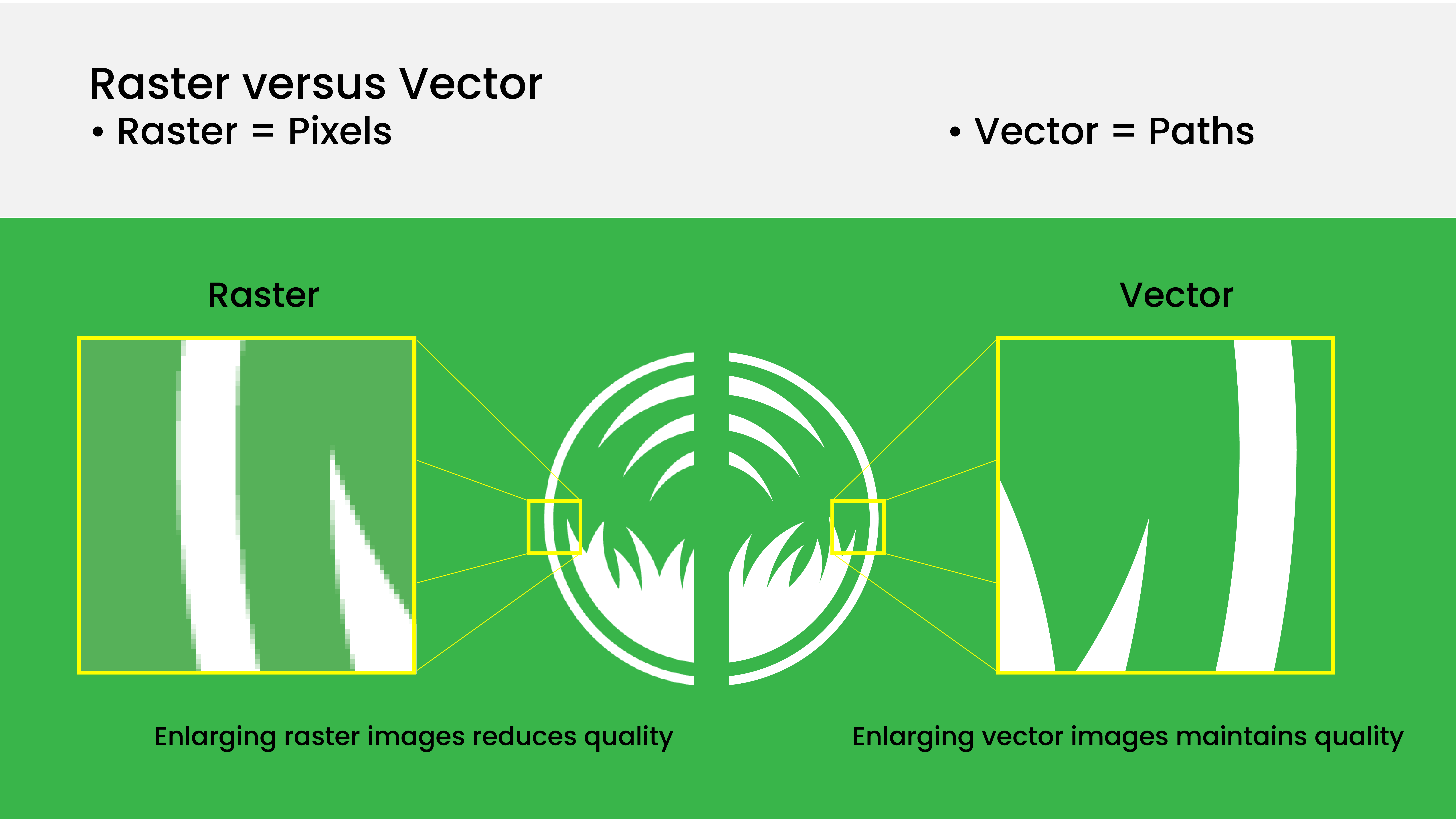
Examples of the differences between vector and raster images.
Vector
Sharp edges at any scale--even super zoomed in.
As math equations, vector images don’t have a fixed resolution--they are “resolution independent.”
Vector images can be scaled to any size and will maintain detail.
Raster
Jagged edges when zoomed in.
Resizing is limited due to a finite number of pixels per square inch, called “dots per inch” (dpi).
This number is the “resolution” of the image.
High resolution = more (and smaller) pixels = more detail.
Enlarging reduces image quality, making it seem blurry or unfocused.
The Logo Team will need to spend more time editing the file.

Do not use the PLACE function in graphics software to embed a raster file into a vector file. It won't create an actual vector image.
The Logo Team will still need to “trace” the raster pixels and turn them into vector paths manually or by a graphics program.
Files in Order of Preference
Preferred | Secondary | Last Resort |
|---|---|---|
|
|
|
Why | Why | Why |
Most logo files need graphics modifications by the Logo Team to improve their painted appearance.
| If it is not possible to obtain a vector file then a raster file may be used.
| If customer cannot obtain an appropriate-quality image file, the Logo Team can completely recreate the logo from scratch using whatever reference the customer has (T-Shirt graphic, photo of previously painted logo, mural photo, web page, etc).
|