
Replacing the Pump (Turf Tank Two and Turf Tank Lite)
Tools Needed
Socket Wrench or Screwdriver with Ratchet | Socket Wrench or Screwdriver Extension |
10 mm Hex Socket | Cleaning Rag(s) |
(Click photos to enlarge.)
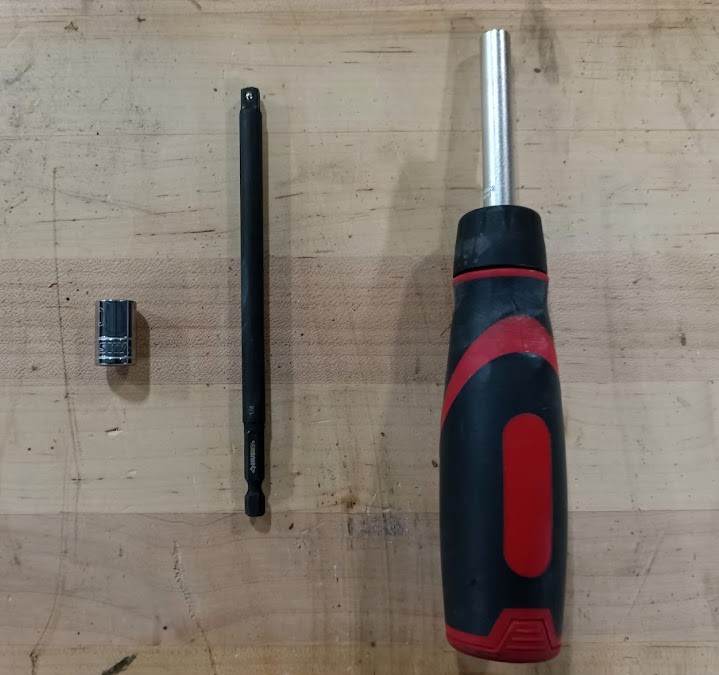
You can use a ratcheting screwdriver with an extension and a 10 mm hex socket.
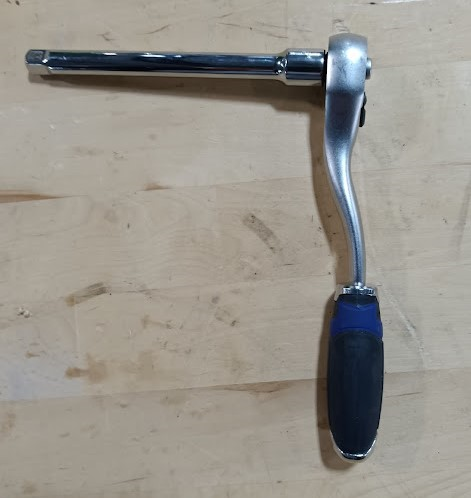
Or you can use a socket wrench with an extension and the same 10 mm hex socket.

Before attempting any maintenance on the Robot, turn off all power and remove the battery.
Never attempt to service the Robot with a battery installed.
Remove the Pump
Make sure Robot power is off and that the battery has been removed.
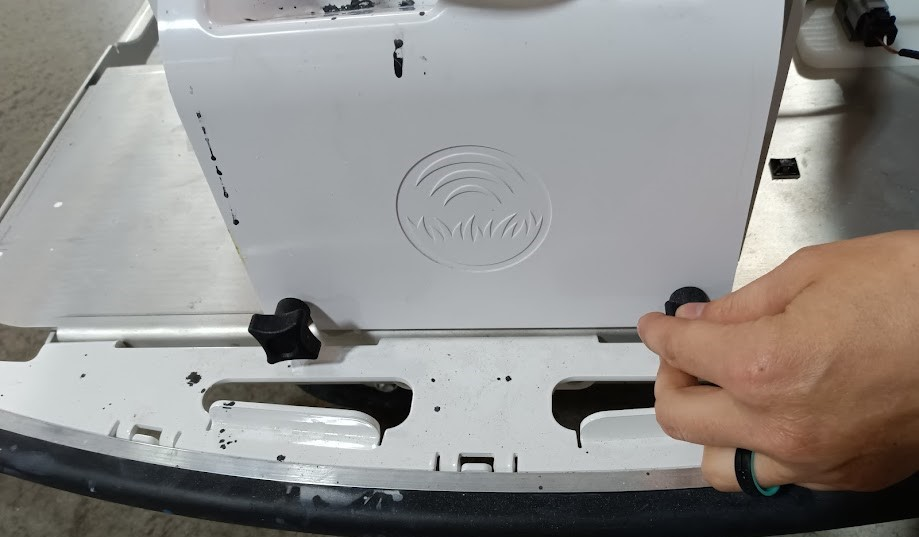
Find the white pump cover at the rear of the Robot.
Unscrew the two black hand screws that hold the pump cover in place.
Use the screwdriver or socket wrench with a 10 mm hex socket and the extension to unscrew the four bolts securing the pump to the Robot chassis.
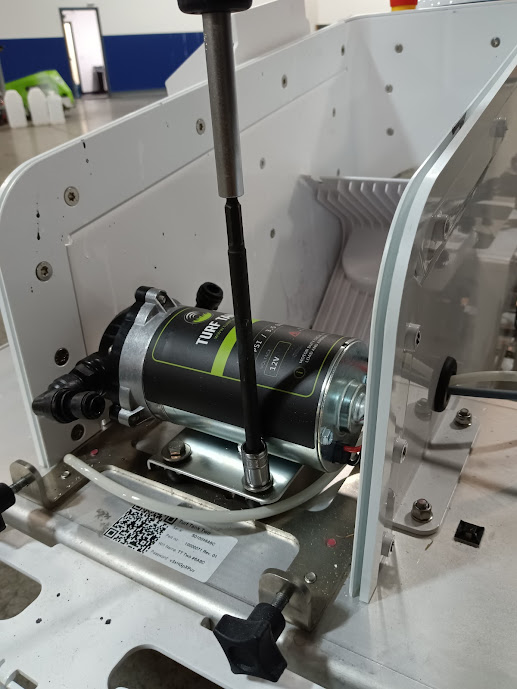
Remove the four bolts and their washers, setting them in a secure place for easy retrieval.
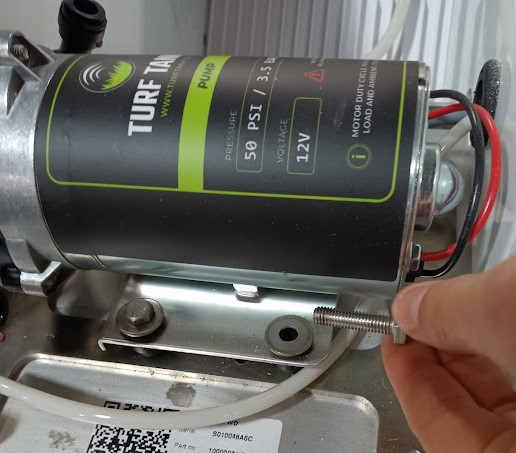
Place a rag under the tubing connections on both sides of the pump to catch spills.
Unplug the tubing by pressing the black compression connector and gently pulling the tube away from the pump.
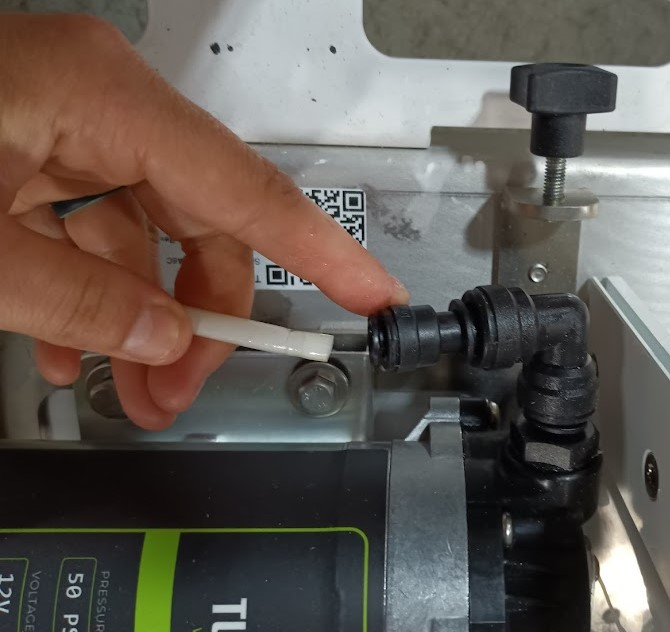
Lift the pump from its position to extend the electrical cord and expose the white plastic connector.
Gently press the latch on the connector to unplug the pump.
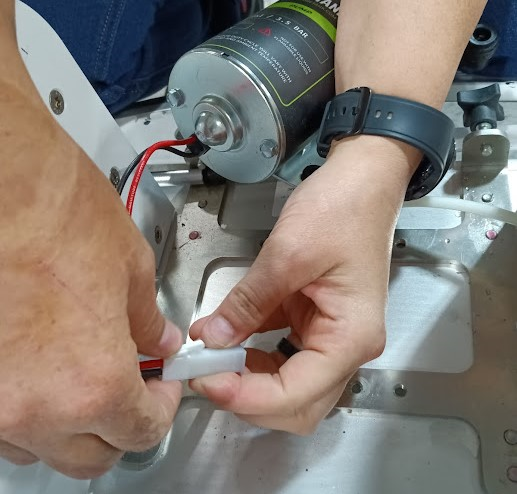
Install New Pump
Plug the new pump’s wire connector into the plug.
Insert the bolts and washers removed from the old pump into the four holes on the new pump.
Screw the bolts in until you see the tip of the bolt at the bottom of the rubber shock absorbers on the new pump.
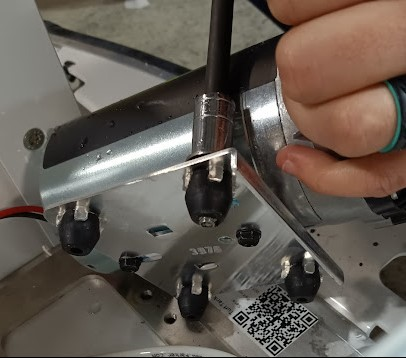
Line up the four bolts with the four holes on the Robot chassis where the pump sits.
Use the socket wrench with the 10 mm hex socket and the extension to screw in all four bolts.
Connect the tubing by inserting each tube into their respective compression connectors. Make sure to seat the tube fully flush inside the connector to prevent air gaps.
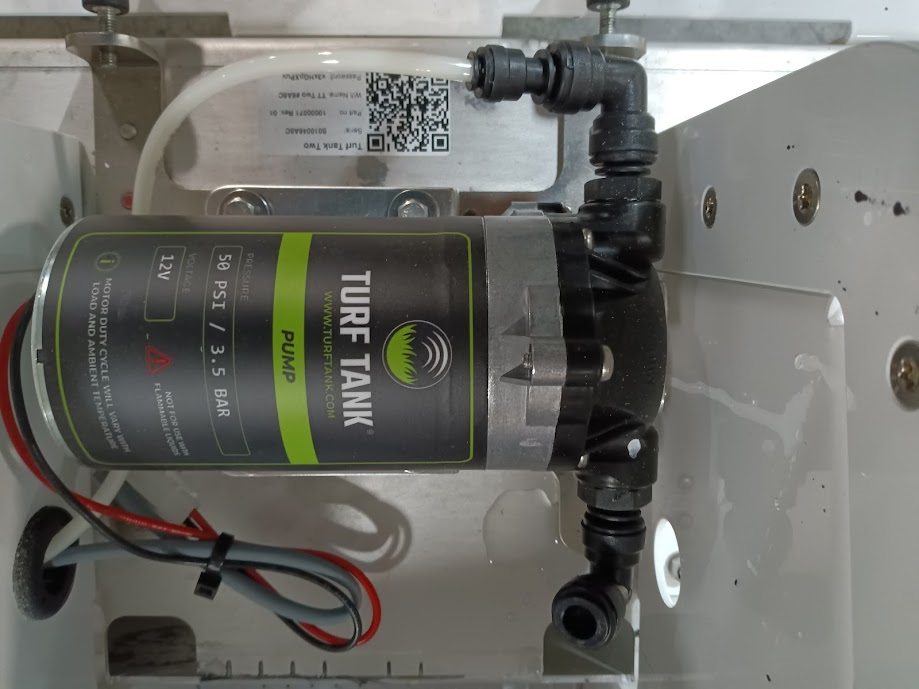
The pump with one tube connected and one not connected.
Reseat the pump cover by inserting its two long tabs opposite the hand screws into the slots on the Robot chassis.
Reconnect the pump cover’s hand screws and tighten to secure pump cover.
Test your new pump by spraying water through it for at least two minutes.