
Turf Tank Control Data Capture for Troubleshooting
The Turf Tank Control App can capture the prior ten minutes of data from the Robot’s Control Unit to help Support and Product Development diagnose and fix Robot issues. As soon as something goes wrong with the Robot, activate this feature immediately to provide essential information about what happened with the Robot.
When an operator encounters an issue with their Robot, such as the fields shifting, lines bowing, or the Robot randomly stopping, they should set the App to capture the data right away (or as soon as possible, within ten minutes).
If capturing the prior data immediately is not possible, the user can attempt to recreate the issue by running the Robot on the same plan in the same area, capturing the data immediately after completing the recreation.
The customer should fetch the capture and upload it for Support and Product Development.
How to Capture App Data
Make sure the App is connected to a Robot.

The Data Capture feature is available only when the App is connected to a Robot.
Tap the
MOREmenu in the upper right corner of the App.Select
SETTINGS.Tap
DATA CAPTUREat the bottom of the option list.Tap
SAVE LAST 10 MINUTES.When the capture is done (which can take a few minutes), tap
FETCH DATA CAPTURES.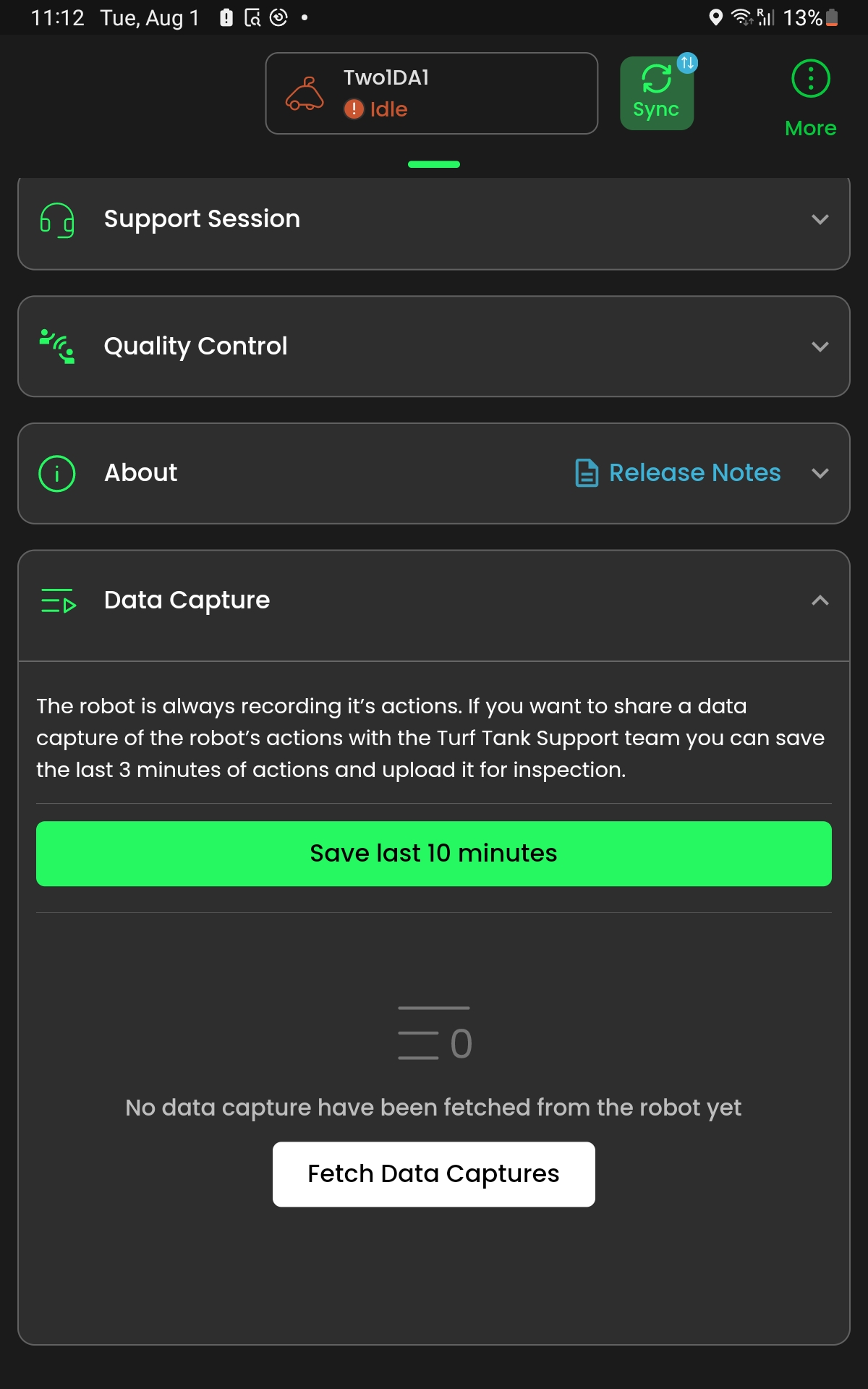
A list of saved recordings appears.
Tap
UPLOADnext to the data capture you wish to submit to Development.