
Adjust Spray Width
There are two ways to control the width of the paint spray:
Adjust the spray discs.
Adjust the sprayer height.
Adjust Spray Discs
The knob on the side of the sprayer housing controls the width of the spray discs. Turn the knob counterclockwise to increase the distance between the discs.
The discs move together and the same distance in each direction.
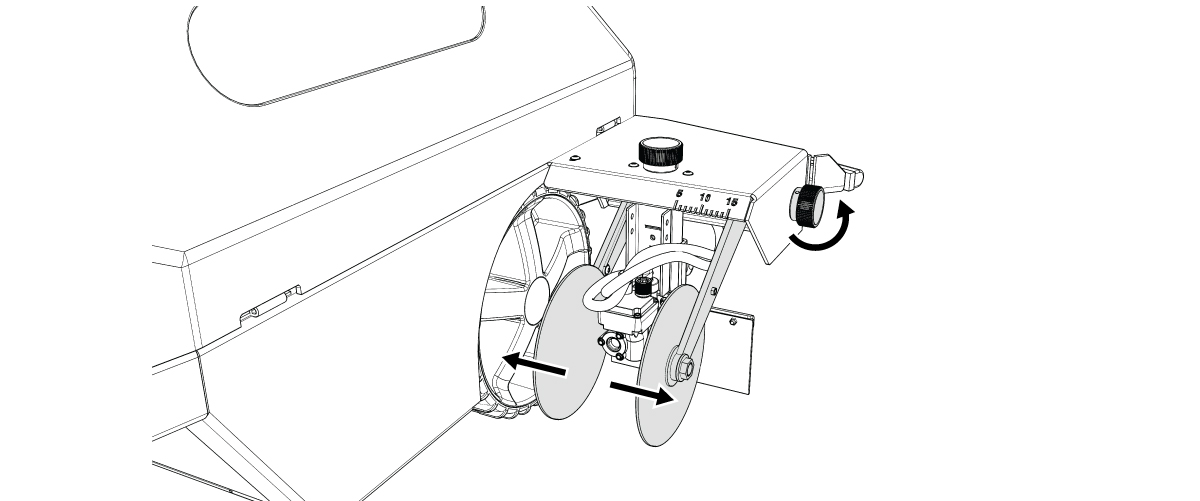
Turn the knob clockwise to decrease the distance between the spray discs.
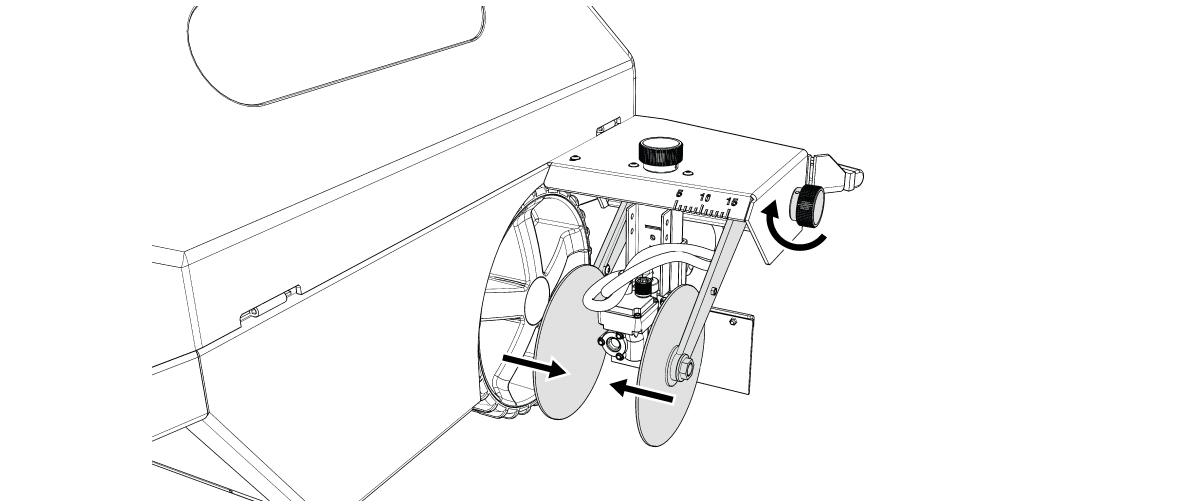
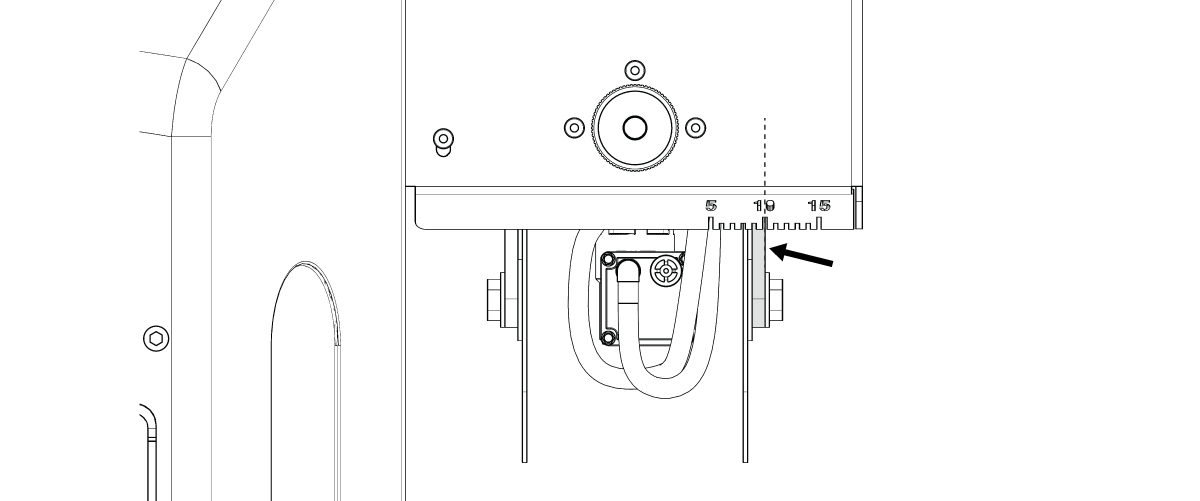
A scale punched into the metal over the spray discs marks the distance between the discs and determines the width of the line painted. The scale is shown in centimeters on one side and can be reversed to show inches.
The measurement is taken from the outside of the disc arm.
Adjust Sprayer Height
Turn the knob on the top of the sprayer housing clockwise to raise the entire sprayer assembly. Raising the sprayer assembly widens the paint spray.
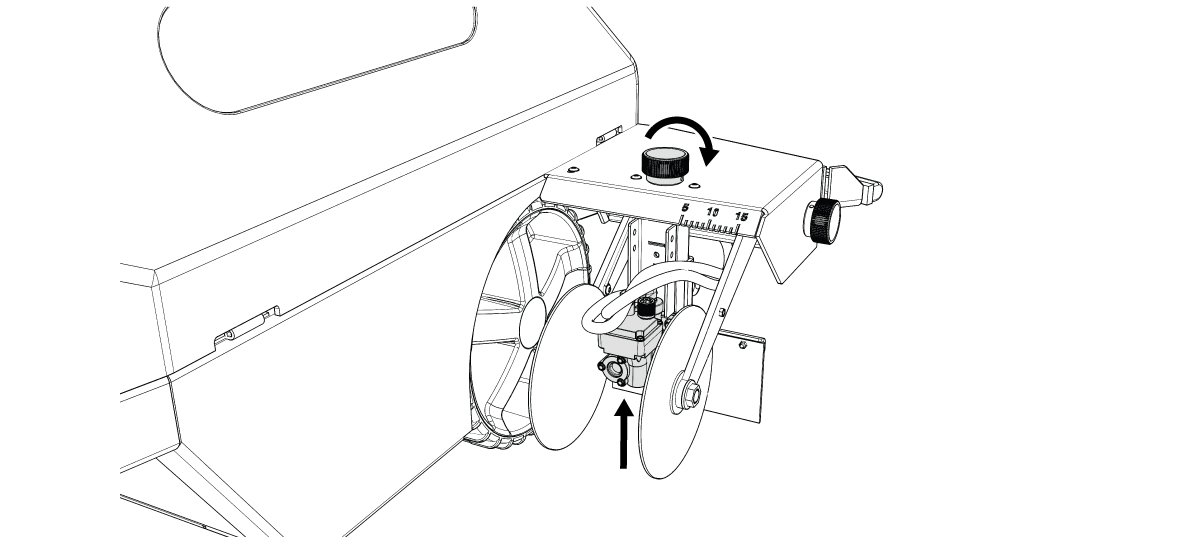
Turn the knob counterclockwise to lower the Sprayer Assembly. Lowering the Sprayer Assembly narrows the paint spray.
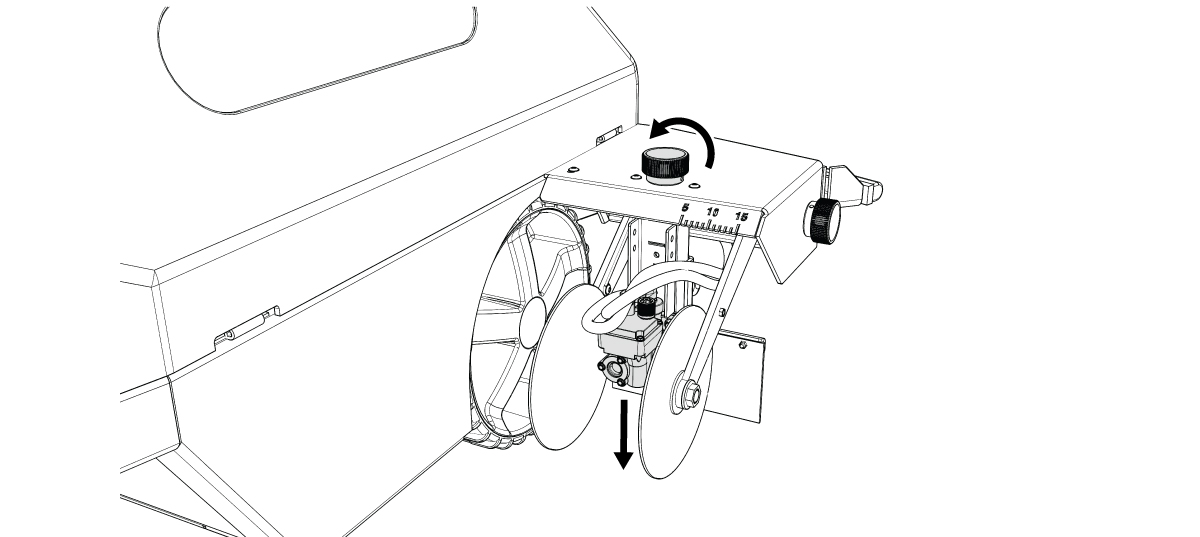
No measurement units are shown on the sprayer assembly track. Instead, there are letters providing reference points for your desired sprayer assembly height. Make note of which letter creates the line width you want.
Ideal Sprayer Assembly Position
When the spray discs are at the desired width and in the “down” position, the fan of the paint spray should hit near the bottom of the Spray Discs.
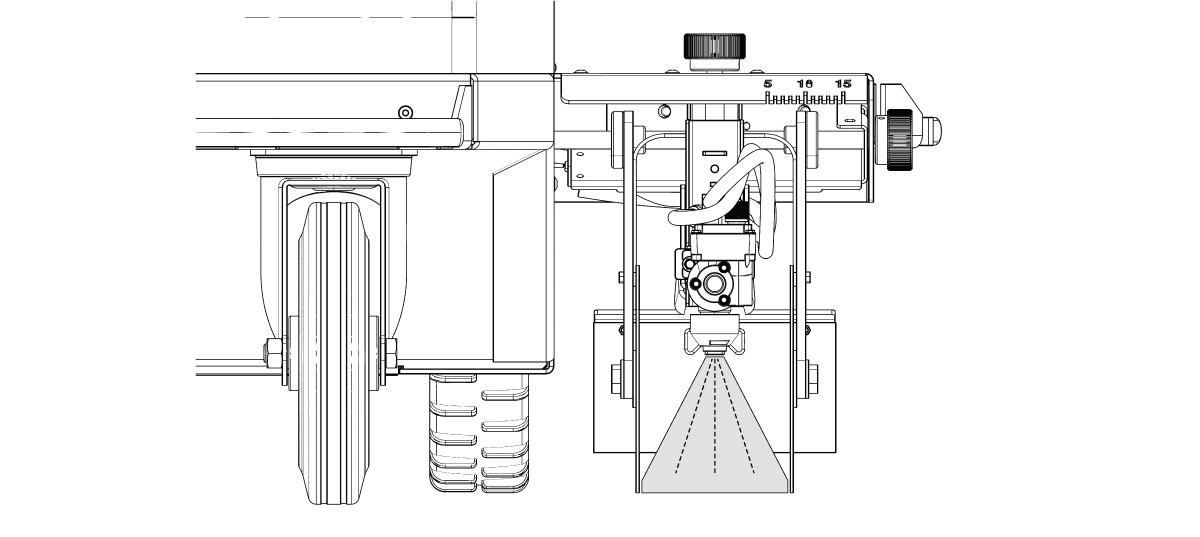

Proper alignment of the spray discs and the sprayer height will reduce the chance for dripping and unwanted marks once the sprayer turns off.