
Charge LP-E6 Battery
Charge LP-E6 Battery
Overview of the LP-E6 Battery-charging system.
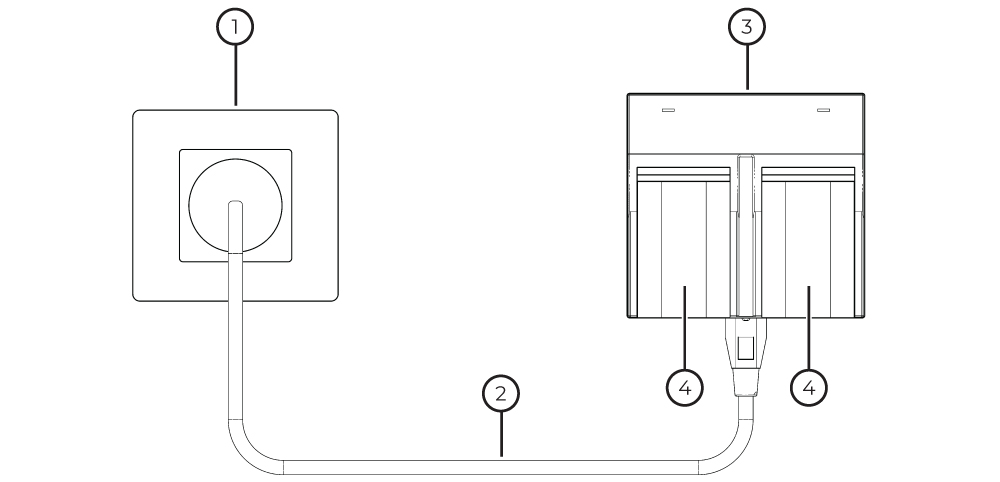
Power Outlet
Charger Adapter Cable
LP-E6 Battery Charger
LP-E6 Battery
Step-by-Step LP-E6 Battery Charging
1. Connect the Charger Adapter Cable to the LP-E6 Battery Charger.
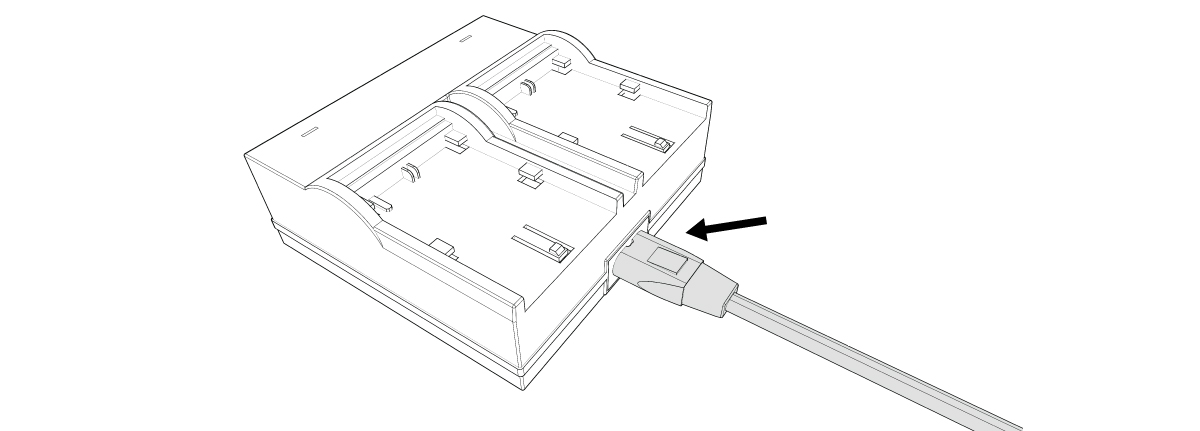
2. Connect the Power Cable to a power outlet.

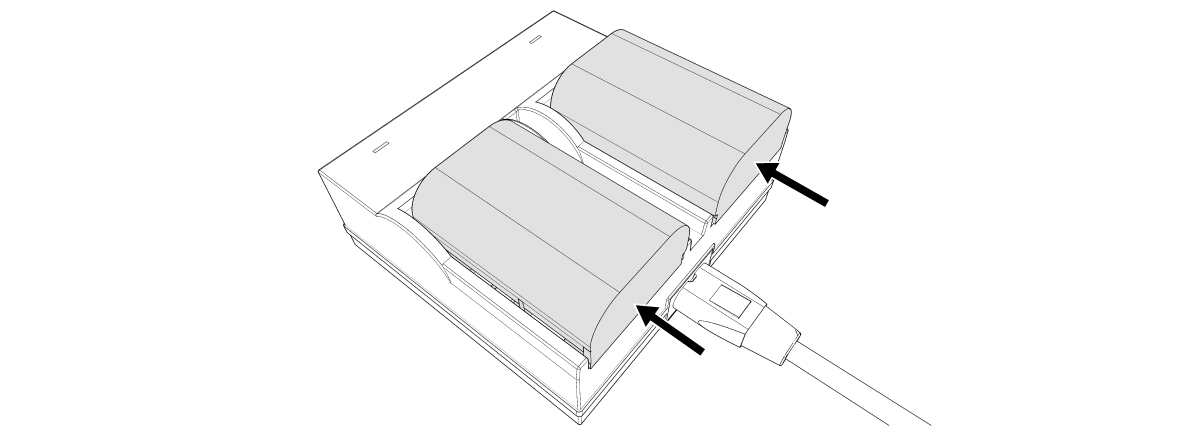
3. Insert the LP-E6 Batteries into the LP-E6 Battery Charger.
Check the LP-E6 Charge Status
LP-E6 Charger Lights:
Green: Battery is fully charged.
Red: Battery is charging.
No light: Charging Block is not connected to a Power Outlet or is not working properly - faulty block and/or cable.

REMOVE batteries from Base Station after use. Batteries MUST NOT be stored inside the Base Station.
Check Battery status frequently. Swap out any batteries that are at or below 25-percent capacity.
If Base Station batteries drain completely, it can cause permanent damage to the device.