
Charge Pole Battery
Charge the Pole Battery
Overview of the Pole Battery-charging system.
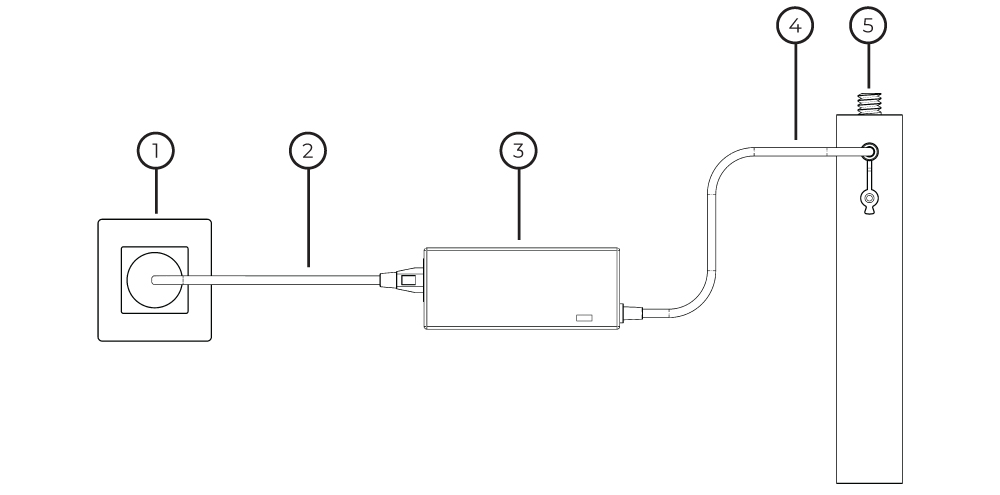
Power Outlet
Charger Adapter Cable
Charger Block
Charging Cable
Pole Battery
Step-by-Step Pole Battery Charging
1. Connect the Charger Adapter Cable to the Charger Block.
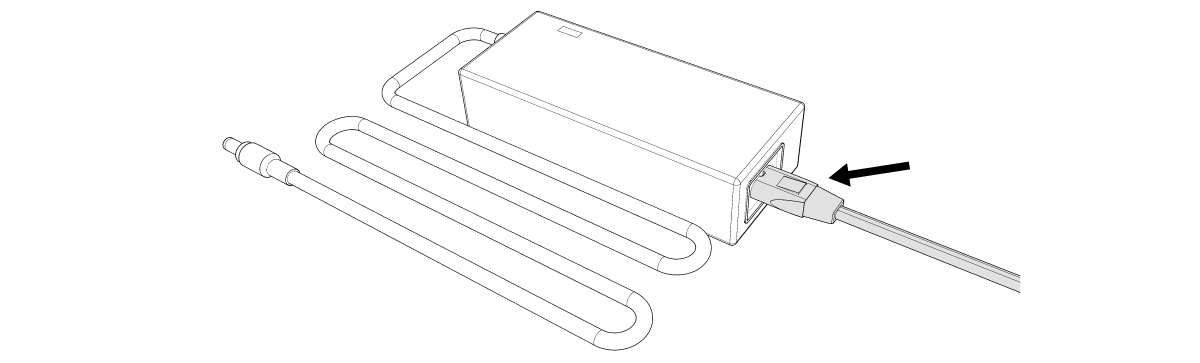
2. Connect the Power Cable to a power outlet.

3. Remove the Protective Cap from the port on the side of the Pole Battery.

4. Connect the Charging Cable to the Pole Battery.

Check Pole Battery Status
The Pole Battery has indicator lights on the body to display capacity. Press the lightning button to view the capacity. All lights are illuminated when Pole Battery is fully charged.
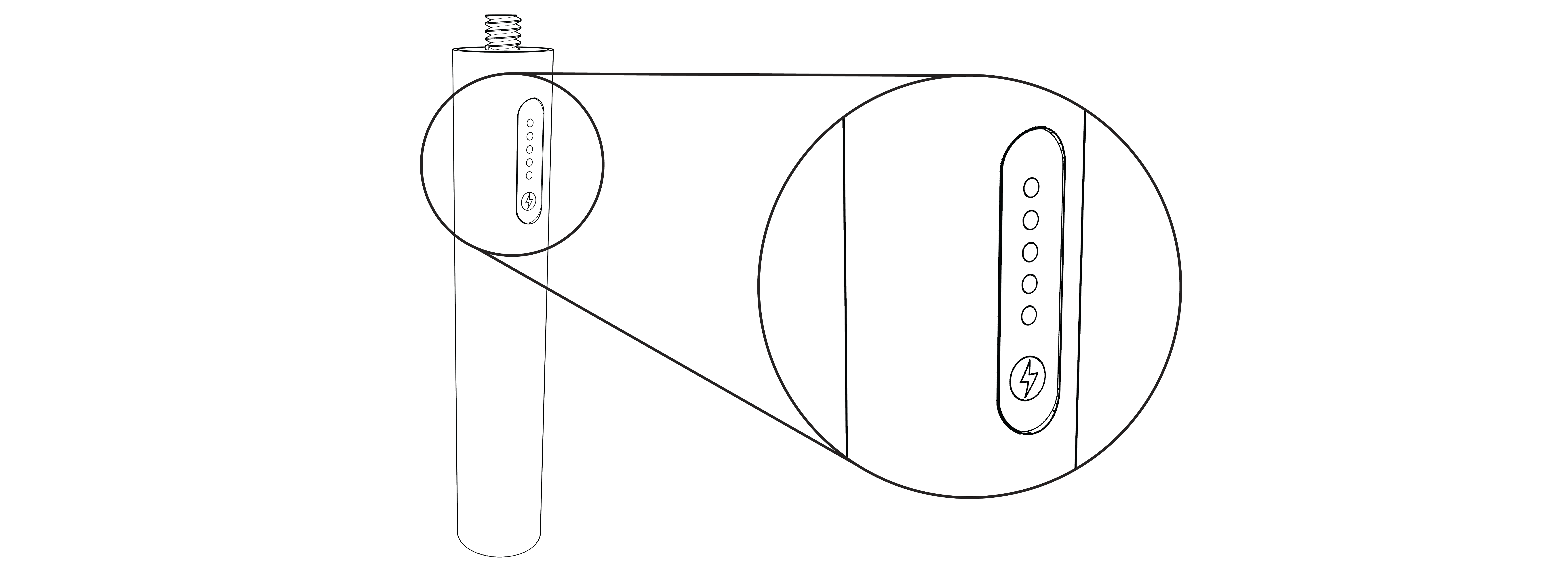
Pole Battery Charger Block Indicator Lights
Green: Pole Battery is fully charged.
Red: Pole Battery is charging.
No light: Charging Block is not connected to a Power Outlet or is not working properly - faulty block and/or cable.

Check Battery status frequently. Swap out any batteries that are at or below 25-percent capacity.
If a Base Station Battery drains completely, it can cause permanent damage to the device.