
Charge Robot Battery
Overview of the Turf Tank Robot Battery-charging system.
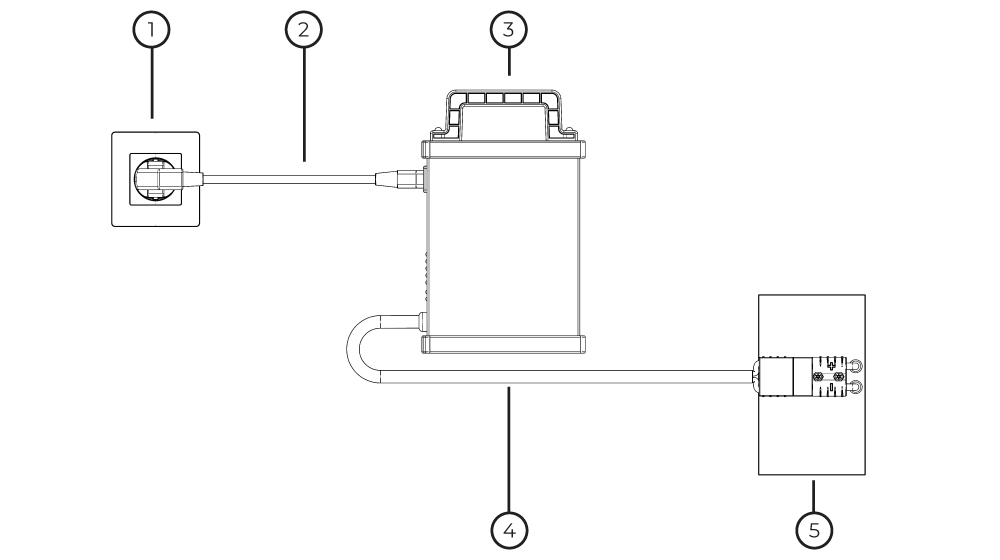
Robot-battery-charging schematic.
Power outlet.
Robot Battery Charger Adapter Cable.
Turf Tank Robot Battery Charger
Charging Cable
Robot Battery
Step-by-Step Robot Battery Charging
Connect the Charging Cable to the Battery.

Connect the Power Cable to the Battery Charger.
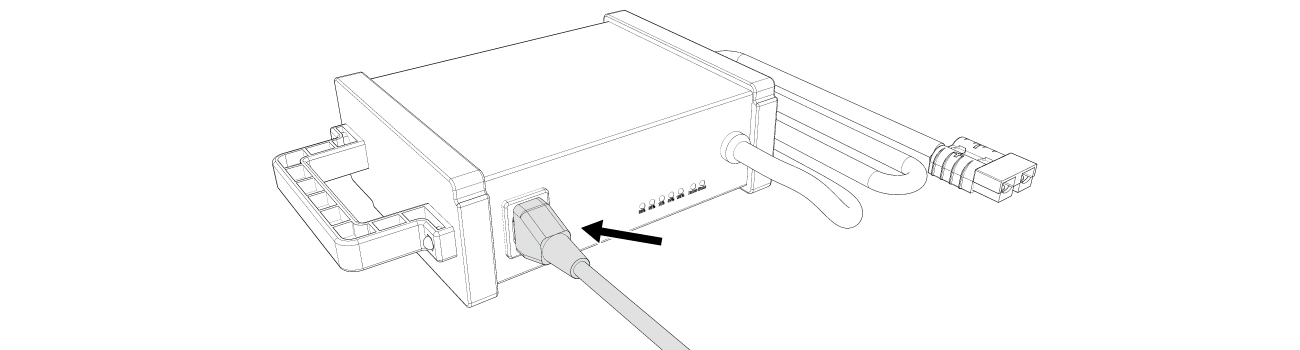
Connect the Power Cable to a power outlet.


You must unplug the Robot Battery Charger from the wall after charging one battery. Plug it in again to charge another battery.
Unplugging resets the charger’s indicator lights.
If you attempt to charge another battery without first unplugging the charger from the wall, you will see a false Fully Charged indicator light.