
Place and Operate the Base Station
Choose a Base Station Position
The Base Station needs a permanent, fixed position from which to operate. This permanent position is marked with a Ground Spike that is permanently seated in the ground. (See the page “Install the Ground Spike” for more information.) Here is how to find the ideal placement for the Base Station and the elements you need to consider.

To create multiple Base Station positions to paint a wider range of fields on a large site, the positions must be at least 30 meters (~33 yards) away from any other Base Station position.
Line of Sight - Satellites to Base Station
The Turf Tank System receives input from geopositioning satellites. If the sight line between satellites and the Base Station is obstructed, the line marking could be less precise or the Robot could fail to paint.
Place the Base Station in an open area as far from tall structures (trees, buildings, fences) as possible.
(Click images to enlarge.)
Tall Trees
Good: The Base Station is at least 20 meters (~21 yards) from the tree line.

Bad: The tree line obstructs the satellite signals.

Structures
Good: The Base Station is at least 20 meters (~21 yards) from the structure.

Bad: The building obstructs the satellite signals.

Line of Sight - Base Station to Robot
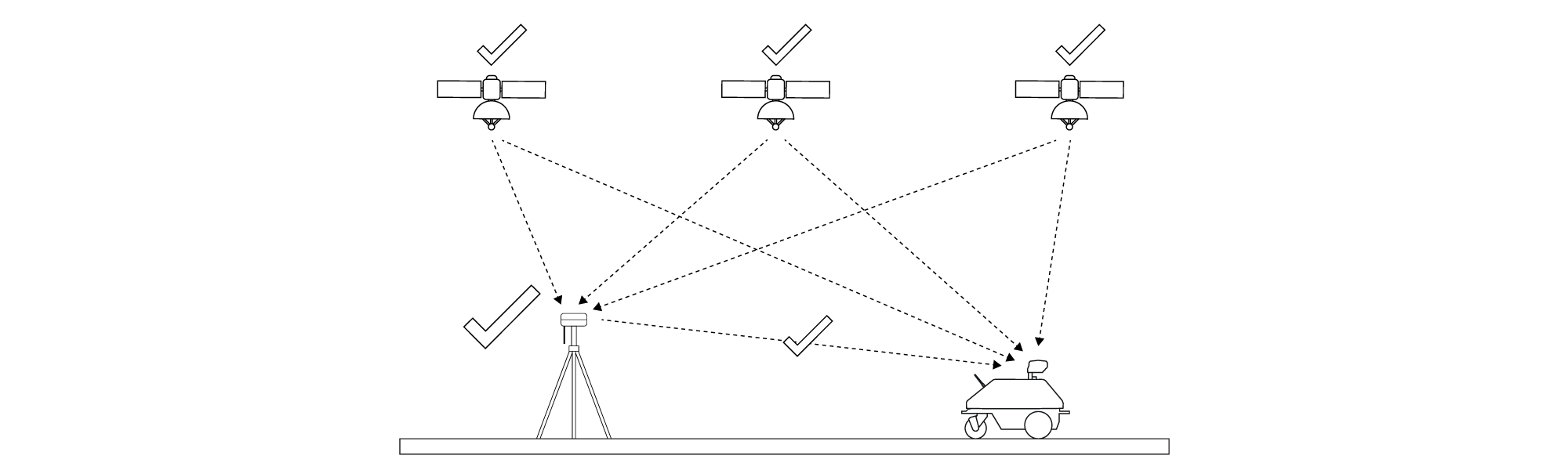
The Robot’s precise line marking is governed by the Base Station, which sends corrective position signals to the Robot's Rover.
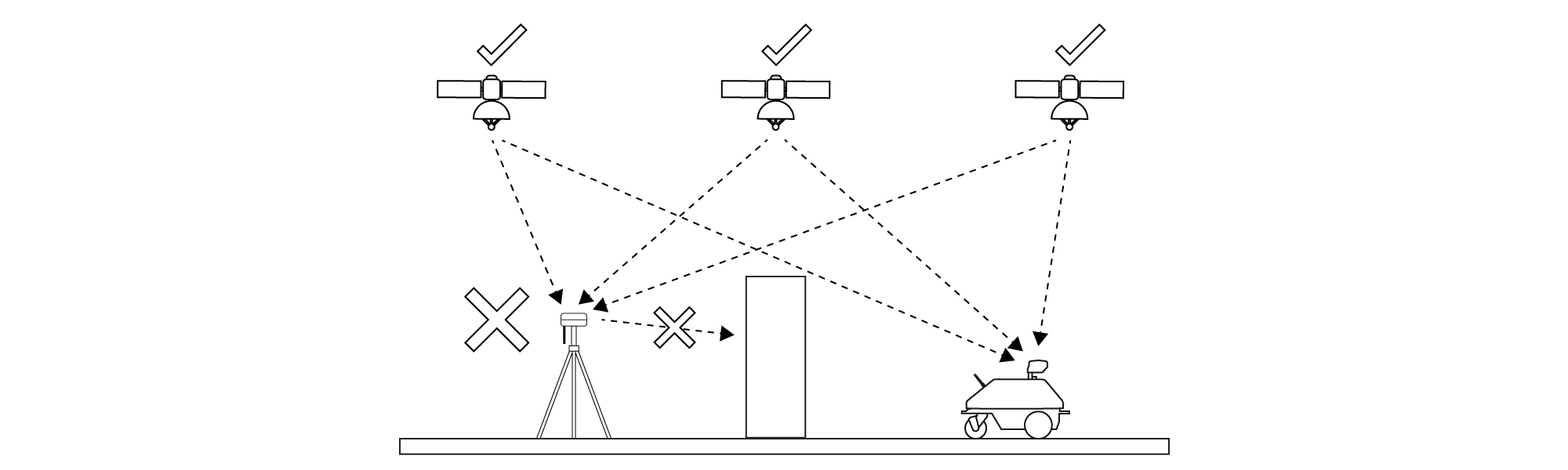
The Base Station needs a clear, direct line of sight to the Robot to maintain precision. If the line of sight is obstructed, the Robot may not paint at all.
Good: The Base Station can “see” the robot.
Bad: An object obstructs the line of sight between the Base Station and the Robot.
Line of Sight - Satellites to Robot
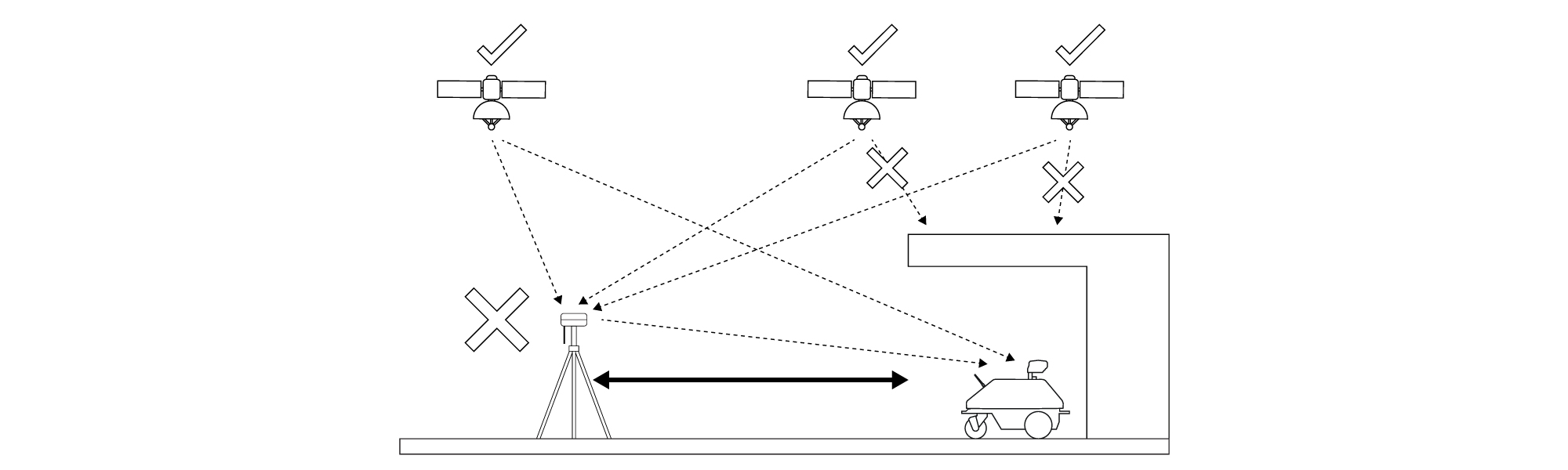
Like the Base Station, the Robot needs a line-of-sight connection to satellites to operate properly. A clear line of sight between the Base Station and the Robot is not enough.
Anything--trees, buildings, fences, small structures--that blocks the Robot’s Rover from a clear view of the sky can disrupt its operation.
Bad: Robot cannot "see" the satellites.
Level the Base Station
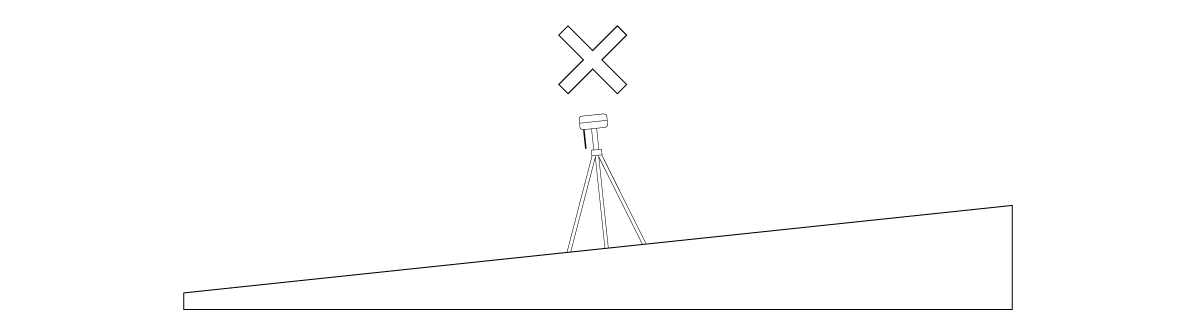
Sloped surfaces can obscure otherwise visible satellites from the Base Station, causing line marking to be less precise.
Sloped surfaces also magnify the possibility of the entire Base Station structure blowing over in a gust of wind, causing severe damage.
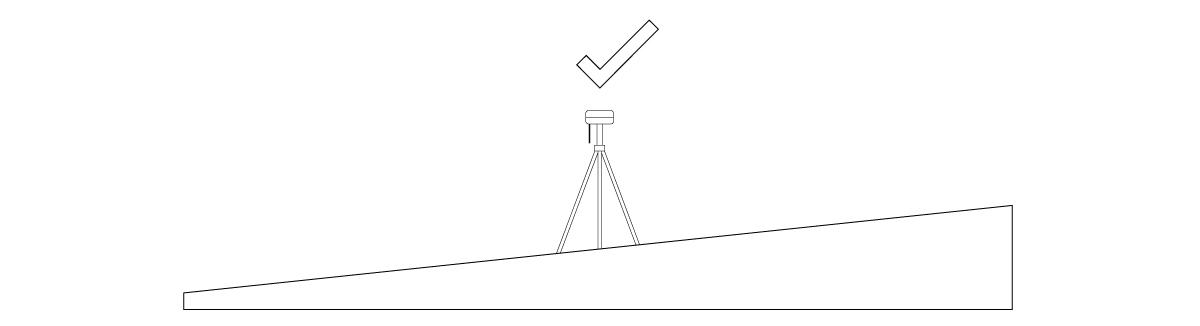
If you must place the Base Station on a sloped surface, adjust the telescoping legs of the Tripod until the leveling bubble on the Prism Pole is centered to ensure the Base Station is in a level position.
Good: The Base Station is placed on a flat surface.
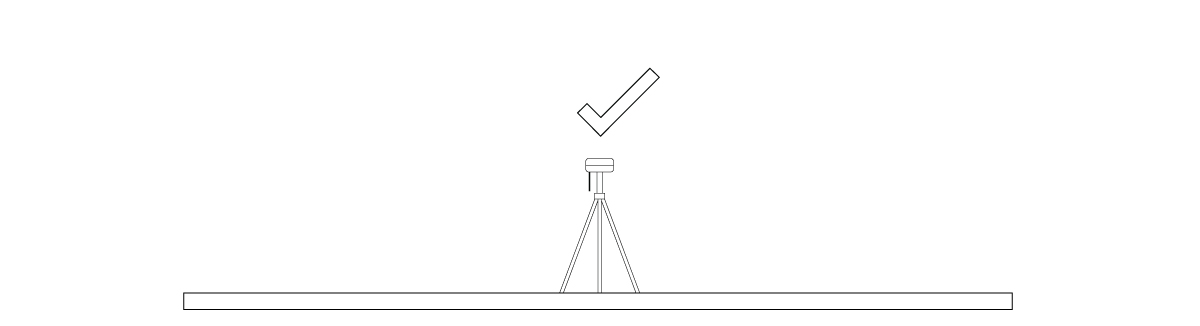
Good: The Base Station is level despite being placed on a sloped surface.
Bad: The Base Station is not level.
Base Station Field Proximity
The Base Station is most commonly placed next to the field. Allow space to ensure the Robot will not collide with the Tripod while painting.
Before placing the Base Station, check the Turf Tank App for the job with Transit Lines (the Robot’s lines of travel throughout a job) activated. This will allow you to ensure that the Robot will not hit the Tripod and do not interfere with the Base Station.
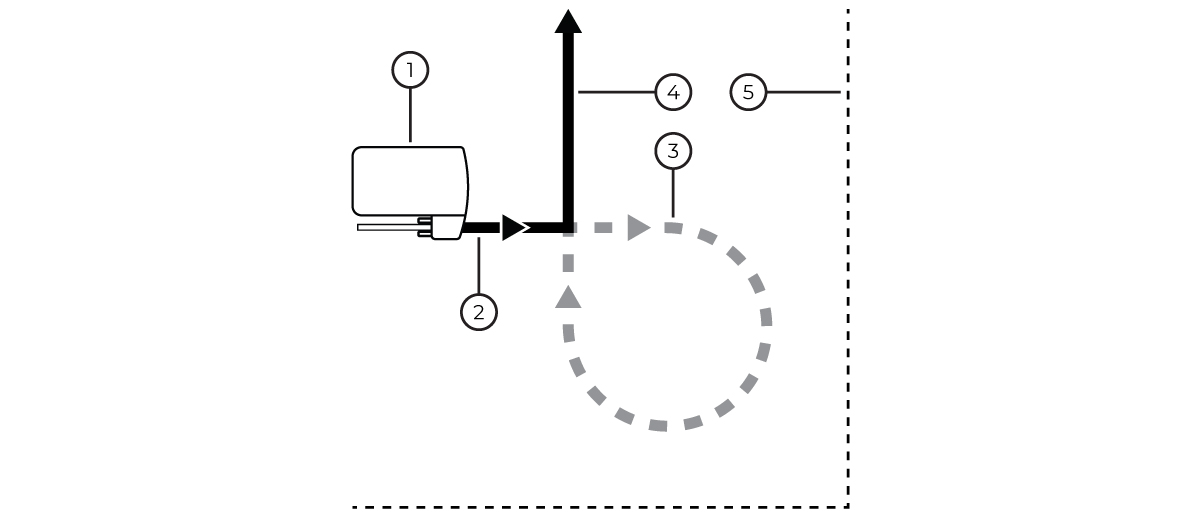
Robot
Painting (Sprayer On)
Transit (Sprayer Off)
Painting (Sprayer On)
Boundary
The Base Station can also be placed on the field if necessary, such as when marking in a stadium or a field surrounded by trees.
If you want to cover multiple fields from one Base Station position, find a central location with no obstructions between the Base Station and the fields you wish to paint.
One Base Station can cover an area of about 400 square yards (about 330 square meters) around its location.

Permanent Ground Spikes cannot move once placed to ensure a constant Base Station location. If on the field of play, the Ground Spikes could be hazardous to athletes.

DO NOT move the Base Station while painting. Any movement will ruin the line and the layout the Robot is painting.