
Replace LP-E6 Batteries
The Base Station uses one LP-E6 battery at a time. Should it be necessary to swap out a spent battery while the other battery is in use, you can do so without turning off the Base Station or removing it from the Prism Pole.

Replace ONLY one battery at a time to keep the Base Station powered on throughout the process.
The Base Station first uses the A-battery. When the A-battery runs out, the Base Station switches to the B-battery.
The display lights up to show which battery is currently active (A on the left, B on the right). Only replace the battery not currently in use.
The Base Station continues to draw power from the active battery until it is depleted. It will then switch to the new replaced battery.
Swap a Battery with the Base Station On
1. Gently remove the battery lid from the Base Station by squeezing at the thumb holds and pulling down. The Battery will stay in the battery lid.
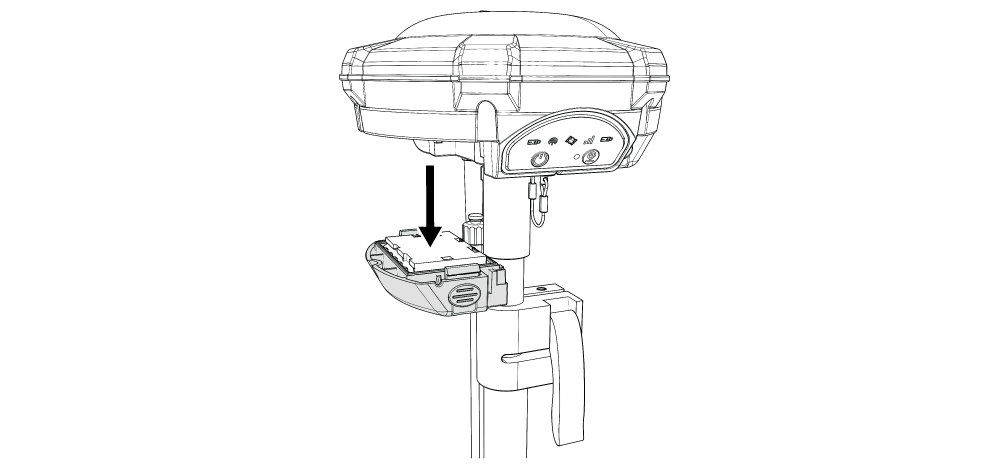
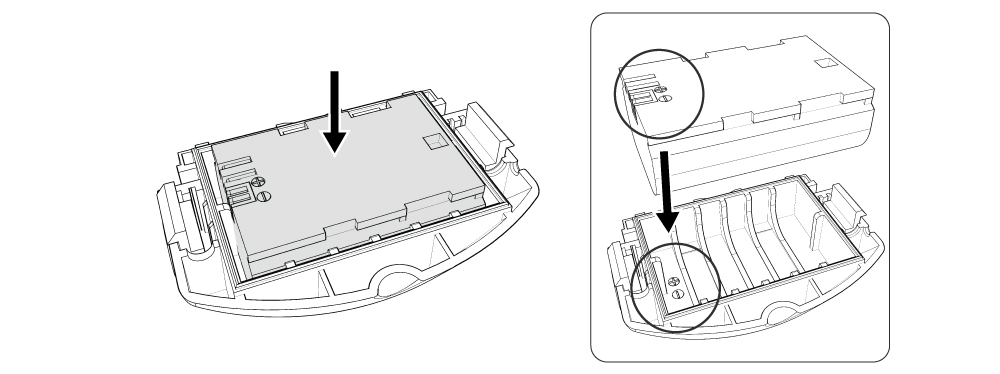
2. Place a fully charged Battery into the battery lid. Match the connectors and the plus-minus icon on the Battery to the battery lid.
3. Reattach the battery lid containing the Battery to the Base Station.
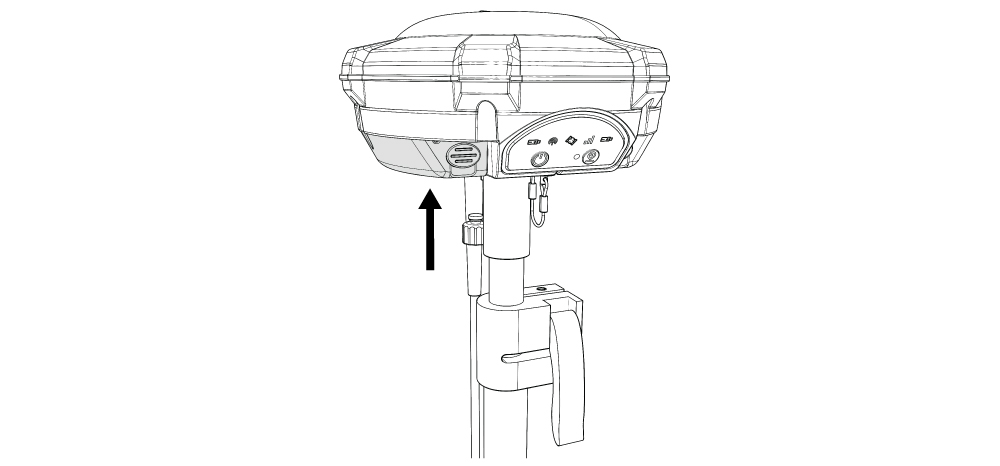
4. Swap out the other side in exactly the same manner.