
Create a Saved Position

Leave at least 30 meters (~33 yards) between multiple Saved Positions.
Base Station power should be on.
Press and hold the Position Button until you hear a short beep from the Base Station.
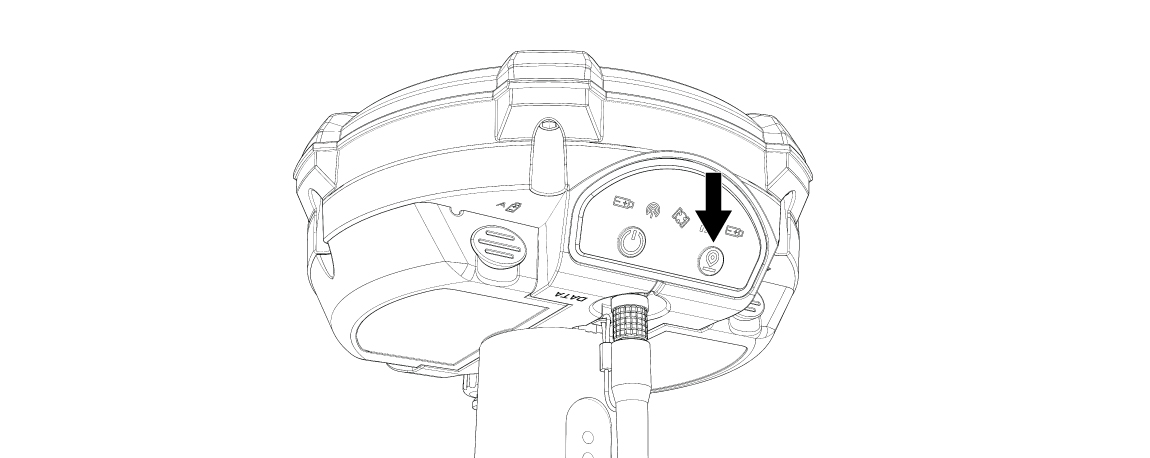
Signs you have created a Saved Position:
The orange Position Light is lit and steady.
The blue Transmission Light is flashing.
The Base Station emits five beeping sounds.
Once a Saved Position has been successfully created, you must turn the Base Station power off and turn it on again.
The Base Station is now ready to use.
You must power cycle the Base Station EVERY TIME you set a new position.
Signs you have failed to create a Saved Position:
The orange Position Light does not light.
The blue Transmission Light does not flash.
The Base Station emits a continuous tone for five seconds.

If creating a Saved Position failed:
Turn off the Base Station.
Turn it back on.
Try moving further away from any other existing Saved Positions.
Repeat the steps above.