
Safety Messages in the Turf Tank App
Some Robot safety messages are conveyed through the Turf Tank Control App. This section provides an overview of these messages, some of which are generic and some that are specific to a particular module of the App.
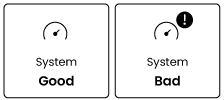
System
Good: When the System status is good, the symbol in the App is green.
Bad: When the System status is bad, the symbol in the App is red with an alert symbol.
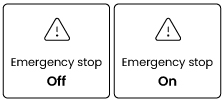
Emergency Stop
Off The Emergency Stop button HAS NOT been pressed. The Robot is functioning normally.
On The Emergency Stop Button HAS been pressed. The Robot is stopped.
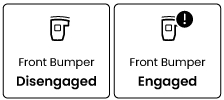
Front Bumper
Disengaged: The Robot is functioning normally.
Engaged: The Robot is stopped. The Bumper has encountered an obstacle.
Rear Bumper
Disengaged: The Robot is functioning normally.
Engaged: The Robot is stopped. The Bumper has encountered an obstacle.
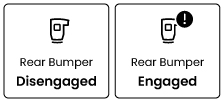

If bumpers are activated while driving manually, the bumper button in the App will turn red with an alert symbol, the Robot will stop moving, and Manual mode will be turned off.
Stopping While Running a Job.
The Robot can be stopped with the ABORT button on the App screen while painting a job. Avoid relying on this feature in an emergency situation. The App asks you to confirm the ABORT order, and the Robot continues painting until you say yes.