
Clean Robot Paint System
Cleaning the Robot often is the best way to keep it in perfect working order.
Paint can easily clog the suction rod, tubes, pump, and sprayer. Clean the paint system thoroughly after each use.
The Turf Tank App walks you through the cleaning routine every time to ensure your Robot always provides peak performance.
App Cleaning Routine
1. Press the Quick Actions (three dot) button on the Home Screen.

2. Select CLEANING
3. Follow the step-by-step Cleaning guide.
While the app’s cleaning routine is the easiest way to keep your Robot clean, these instructions describe the process, should you not have the app available.
Paint System Cleaning Order:
Remove inline mesh filter.
Disassemble sprayer head.
Rinse inline mesh filter and sprayer head parts.
Flush Paint System.
Reassemble Paint System
Remove the Inline Mesh Filter
The inline mesh filter is located within a black screw-top housing on the tubing close to the suction rod.
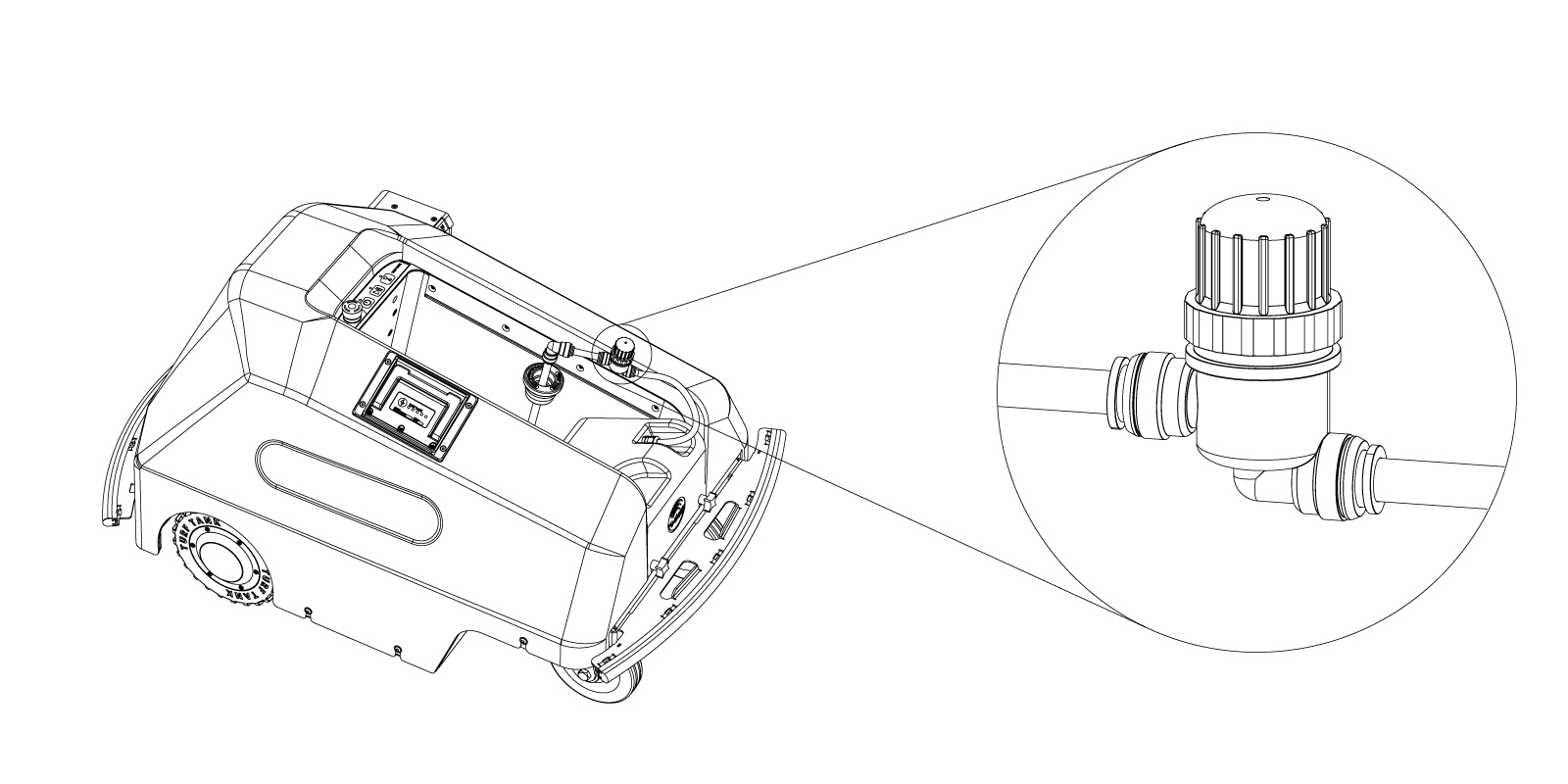
Unscrew the cap from the inline filter housing.

Remove the inline mesh filter.

Screw the cap back onto the housing.

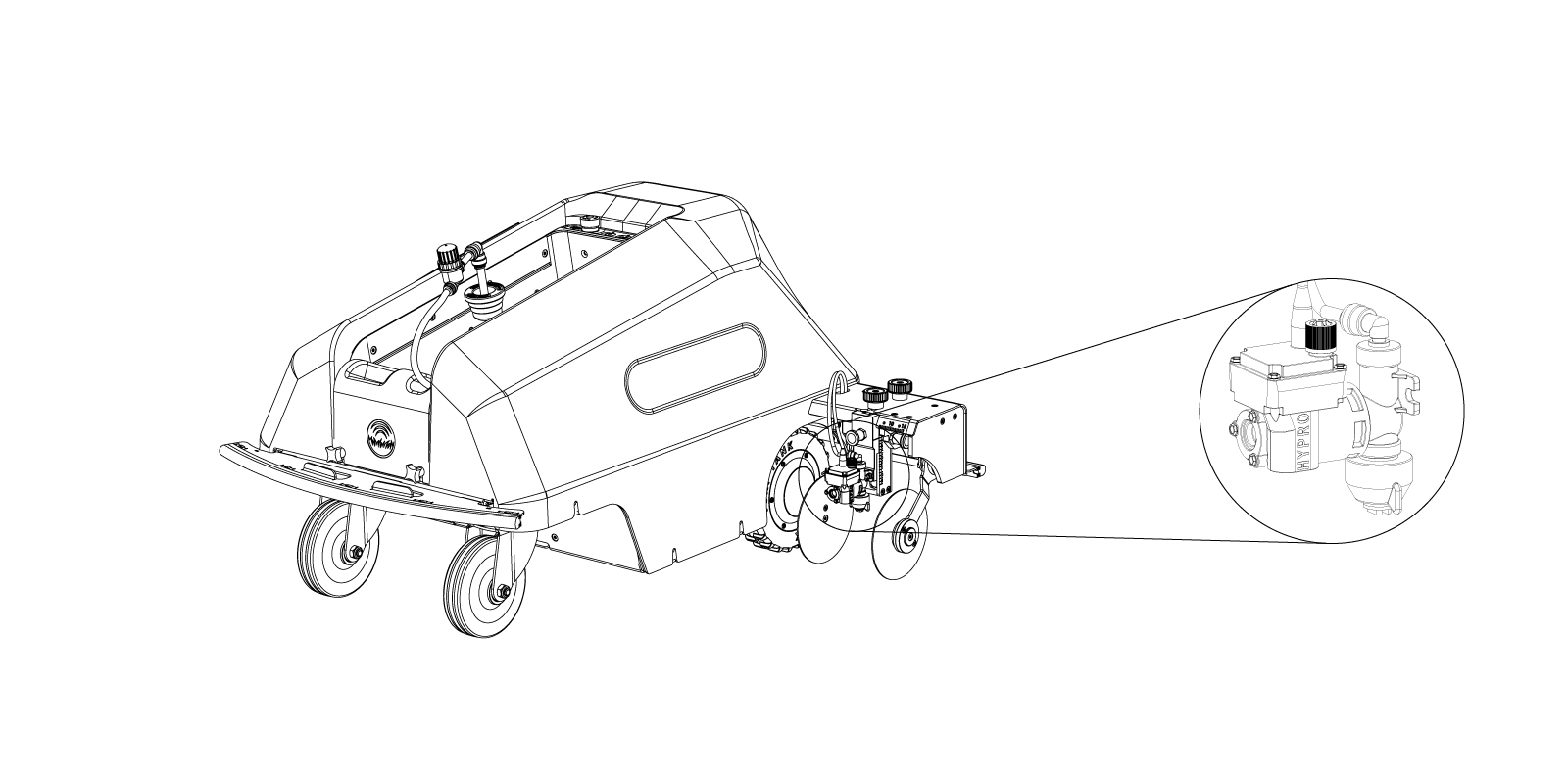
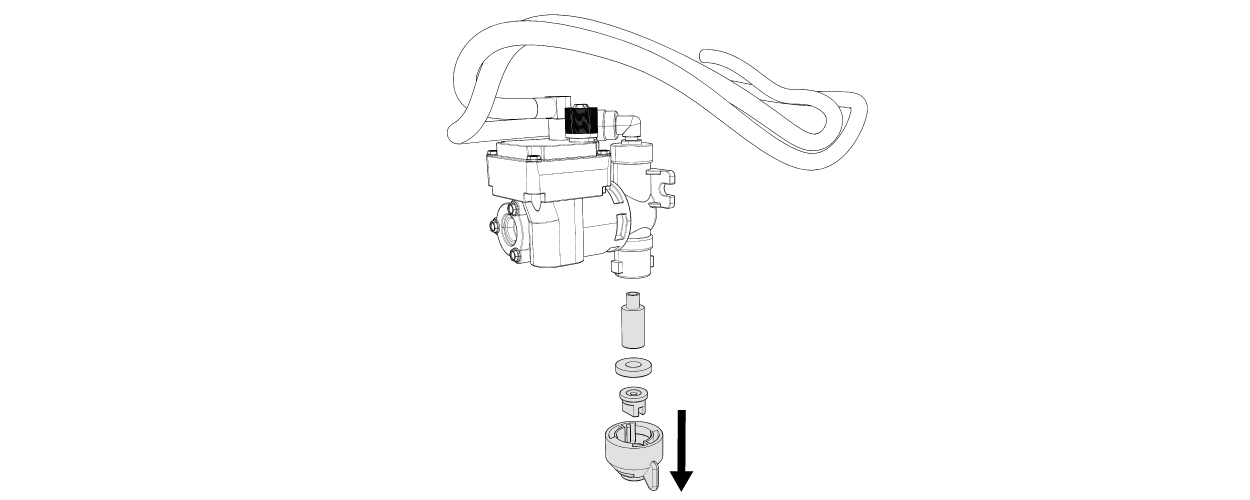
Disassemble Sprayer Head
The sprayer head is at the bottom of the sprayer assembly.
Rinse the Inline Mesh Filter and Sprayer Head Parts

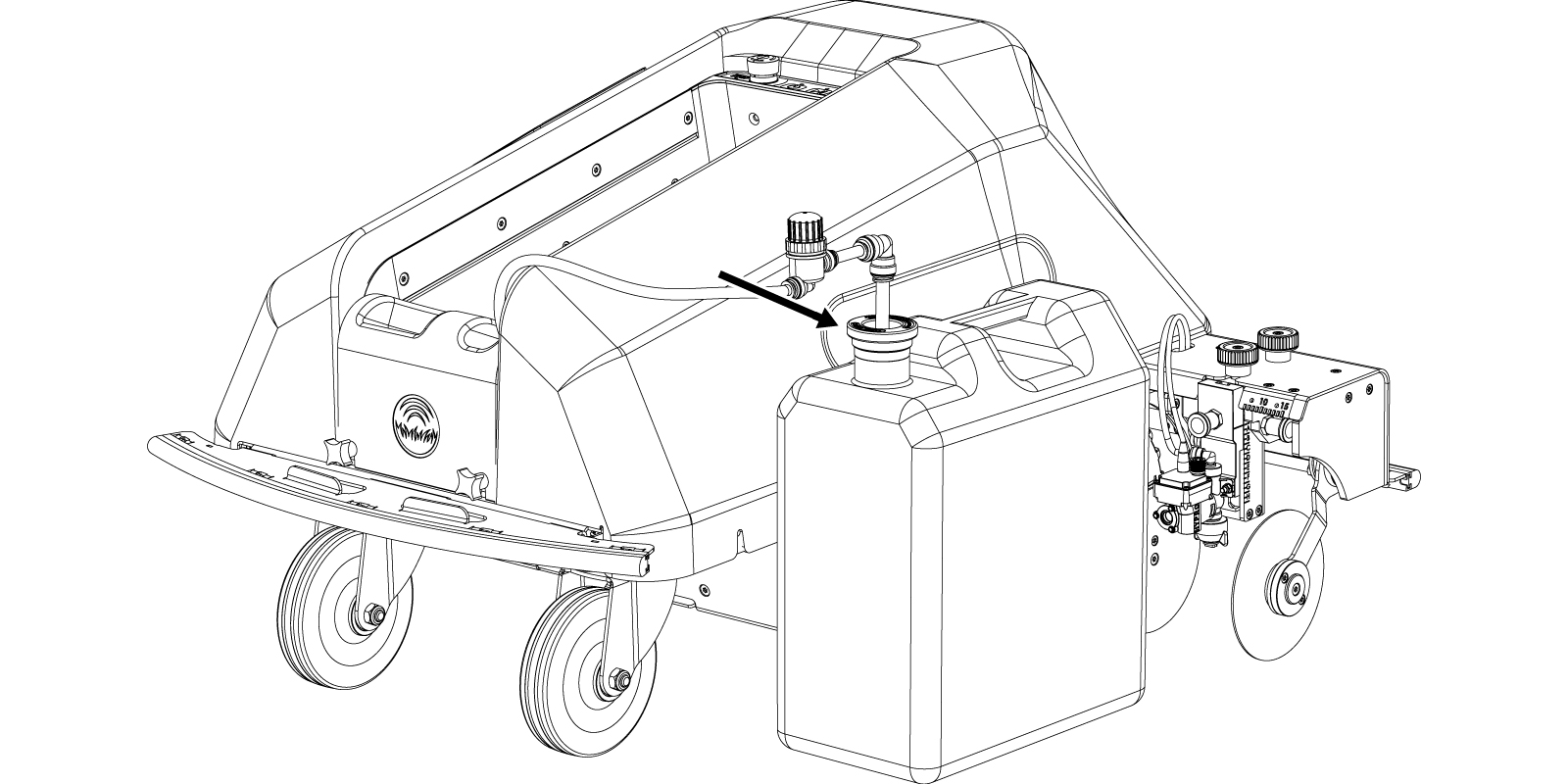
Flush the Paint System
Place the suction wand into a jug with filled warm tap water. You may add dishwashing soap if you like.
Follow the Cleaning guide in the Turf Tank App.
Reassemble the Paint System
To reassemble the Paint System see “PREPARE THE PAINT SYSTEM.”